How GoForIt works
GoForIt turns what you tell Malo, and a few answers, into training, meals and progress that fit the week you actually have. Here is what happens, step by step.
Tell Malo what you want
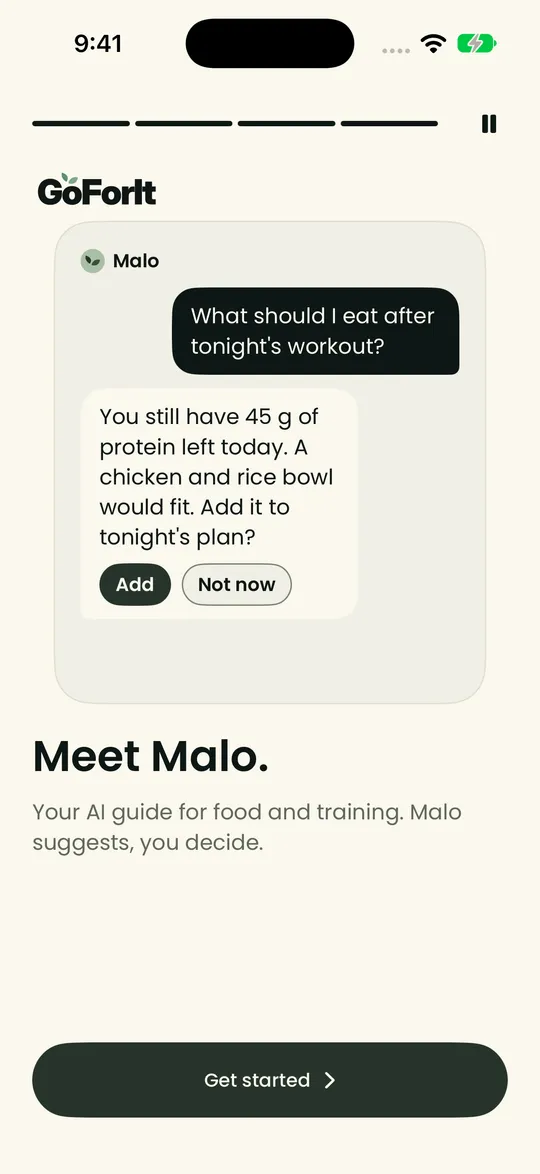
Say it in your own words: your goal, your time, what you like and what you don't. For example: three days a week, and meals that are quick to make.
Malo, your AI guide, turns it into proposed changes in the app's screens: a program in Workouts, meal ideas in Meals, a goal in Progress.
Answer a few questions
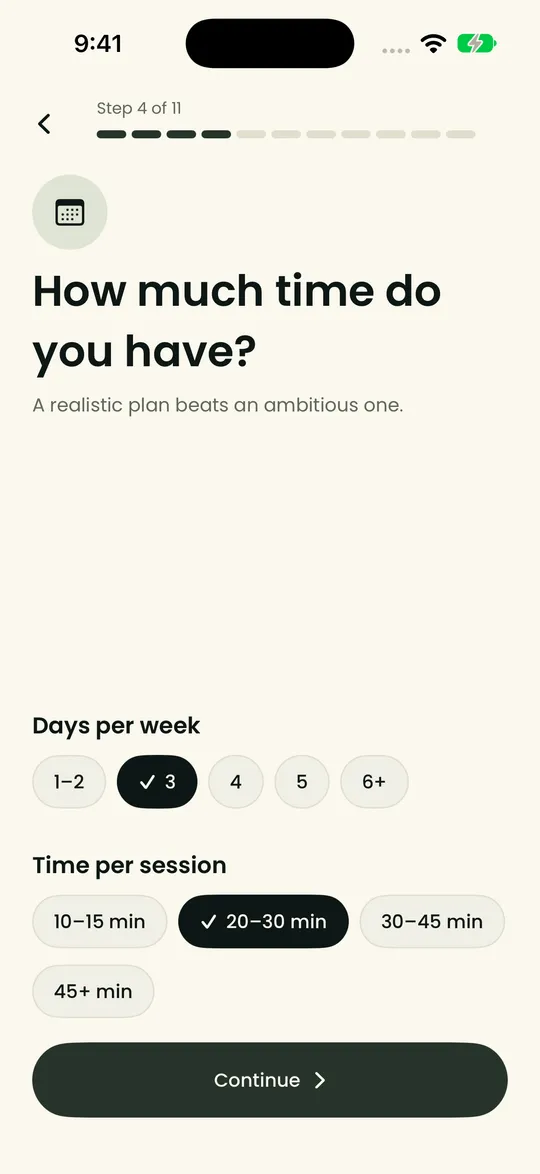
Tell GoForIt your goals, your level, how much time you have, where you train and with what gear, and how you like to eat. It takes a few minutes, and you can change any answer later.
You also choose how Malo talks to you: gentle, balanced or direct. A short safety question keeps the plan gentle when it needs to be.
Get your plan
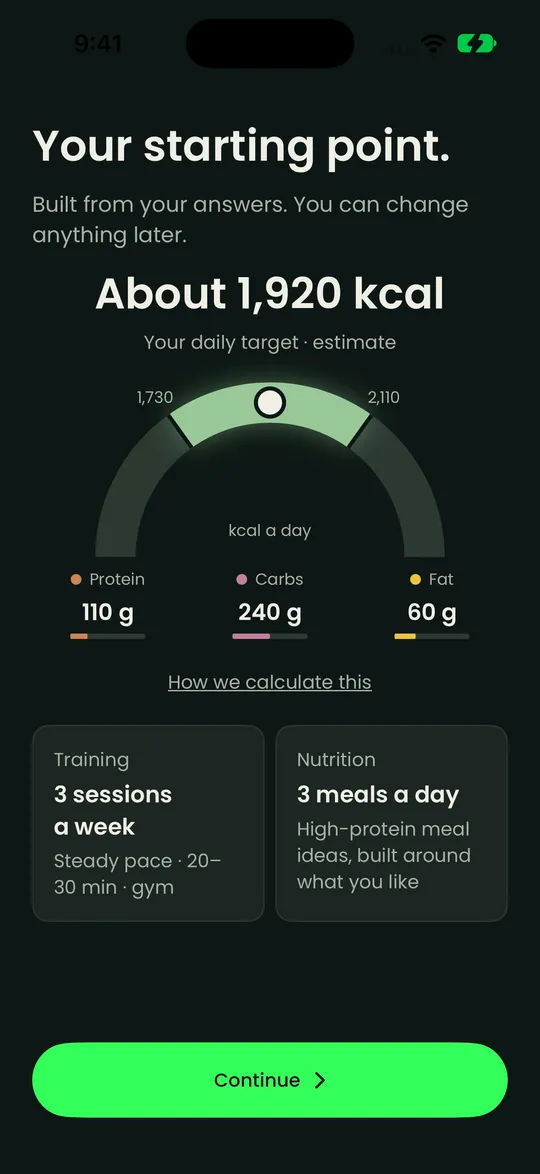
GoForIt places your sessions in your week and sets a starting point for your meals. Your daily energy is shown as a range and labelled as an estimate, with a link that explains how it is calculated.
You also pick a pace: gentle, steady or ambitious. GoForIt shows what each pace asks of your week.
Know what to do each day
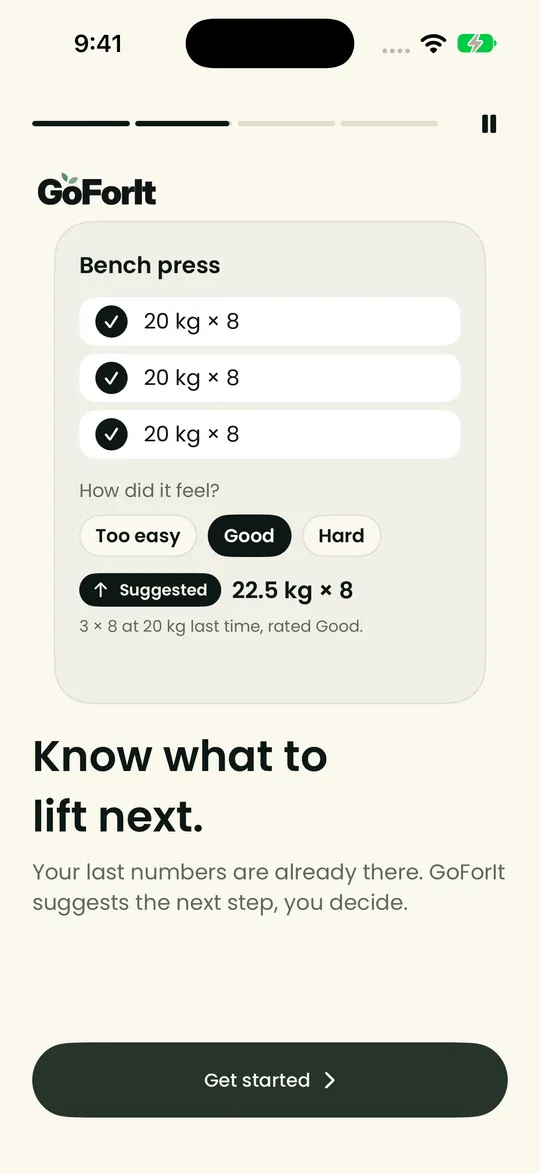
Each day shows today's session and what to eat. After a workout, GoForIt suggests your next weight and tells you why: for example, 22.5 kg × 8 after three sets of 8 at 20 kg that you rated Good.
Your last numbers are already there, so you never start from a blank page. If a session felt too easy or too hard, say so, and the next suggestion takes it into account.
Log meals with a photo
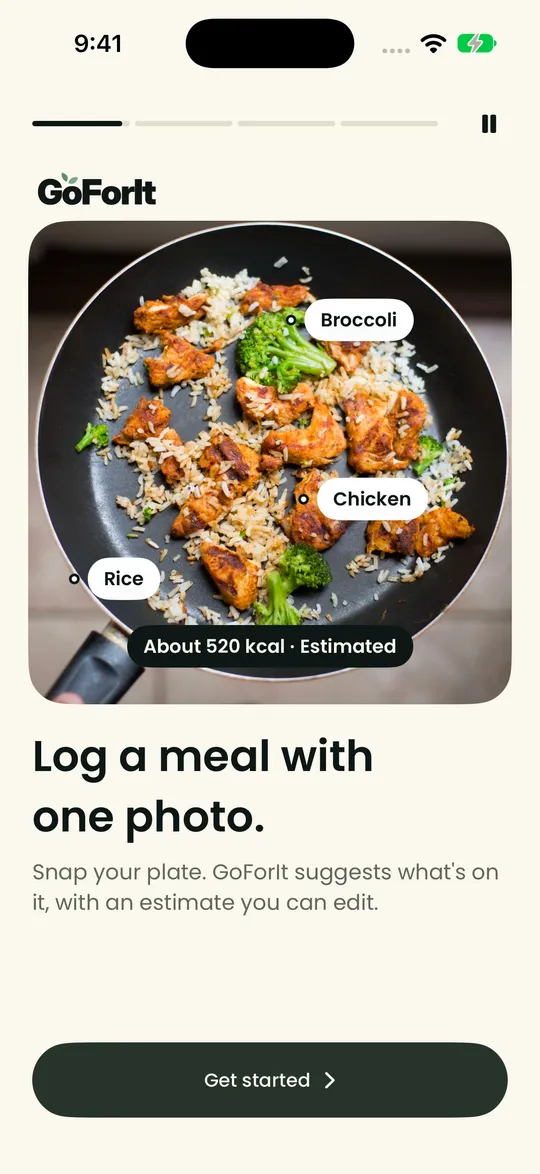
Snap your plate. GoForIt suggests the foods it sees and gives an estimate that you check and edit.
The estimate is labelled as an estimate, never as a fact.
When a day slips, the plan follows
Miss a session and GoForIt moves it to a day that still works, so your week still adds up. Malo, your AI guide, explains the change.
Your week still adds up: three of three sessions, one of them moved.
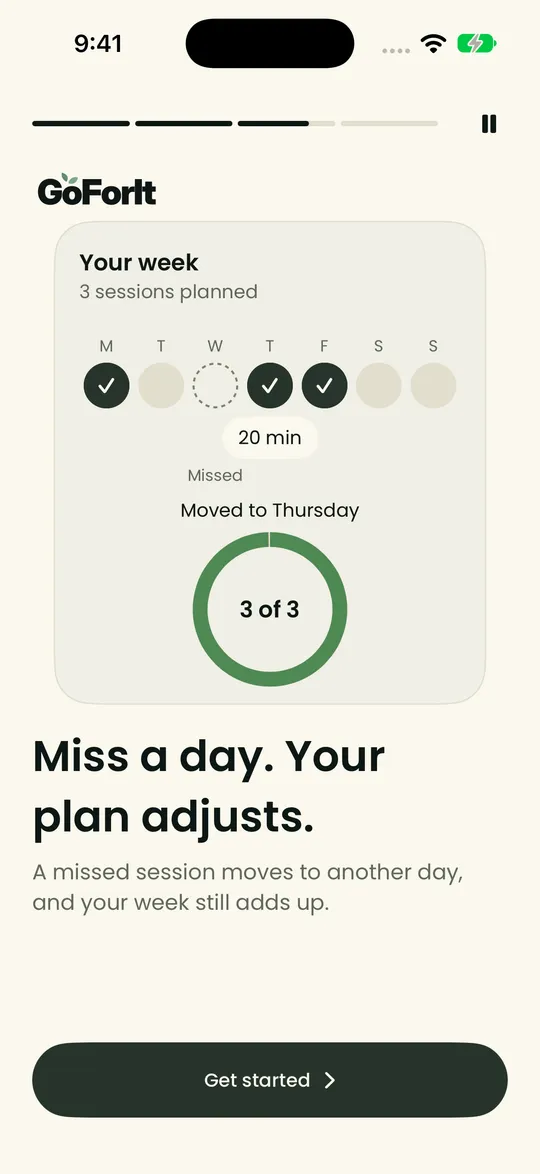
Your plan changes as your weeks do, and Malo tells you what changed and why.
What GoForIt does not do
- It does not diagnose or treat anything. Malo is an AI guide, not a health professional, and does not give medical advice.
- It does not need a smartwatch. Health integrations are optional, and GoForIt works without them.
Coming first to iPhone
Join the waitlist and we'll email you when GoForIt opens on iPhone.